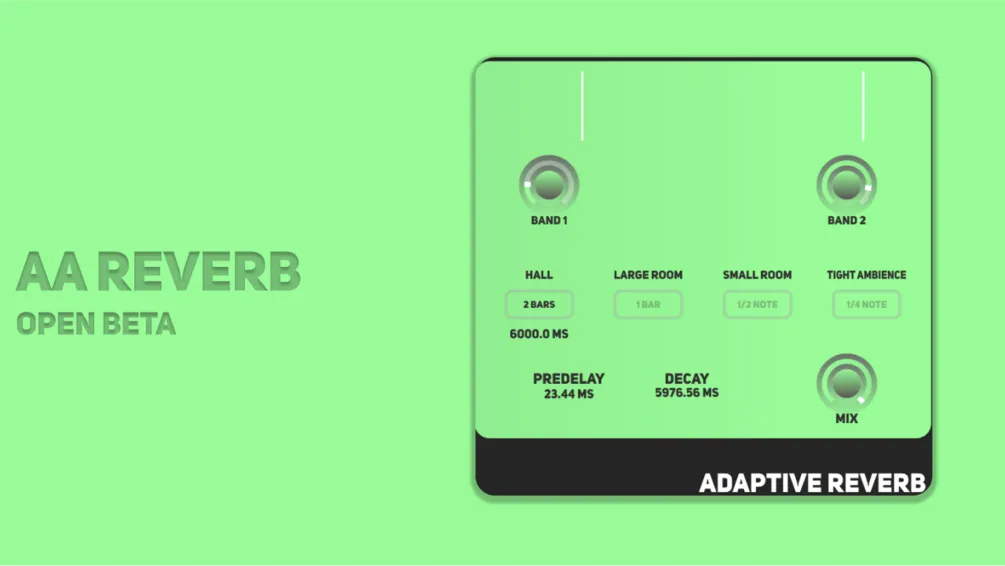
AAReverb is an audio plugin designed for reverb with adaptive and automatic features:
Automatic: The main function of AAReverb is to create reverb that adapts to the tempo of your track. The user can choose from options like 2 Bar, 1 Bar, 1/2 Note, and 1/4 Note to control the room size, offering varying levels of reverberation based on the tempo.
Adaptive: The reverb becomes less prominent during the peaks of the signal, maintaining clarity on the transients, and gradually becomes more noticeable as the signal fades, enhancing the lushness of the reverb only when needed. Additionally, users can apply reverb while excluding the extremes of the signal, ensuring an even cleaner and more focused final effect.
AAREVERB - Automatic Adaptive Reverberation
Beta access on macOS. AAReverb is in open beta and not notarised by Apple yet — notarisation arrives with the stable release. Until then macOS keeps the quarantine flag it puts on every downloaded file, so there is one short step the first time you install.
Copy the plugin into your Components folder:
/Library/Audio/Plug-Ins/Components/
then run this once in Terminal to clear that flag:
sudo xattr -cr /Library/Audio/Plug-Ins/Components/AAReverb.componentThat is all: macOS then loads it like any other plugin, and Windows needs no setup at all. If your DAW still does not list it, write to hi.23dsp@gmail.com with your macOS version and DAW — beta reports get priority.
Apologies for any inconvenience to Apple users. Users are encouraged to stay updated on future releases as compatibility issues continue to be resolved.